
I Created a DDLTodo App with Claude 3.5 Sonnet in 5 prompts
How could it Different from 100 Others I've Used?

Background
Imagine your desk right now is like one of those overly complex, feature-packed todo apps. There’s a reminder to tweet next week, another for booking flight tickets, and a note about searching for SubStack content updates. Different projects intertwine, and your carefully crafted grouping system has created numerous storage boxes of various sizes. It’s all too easy to overlook a small reminder about booking event tickets hidden within a sub-project of a sub-project. This oversight could potentially make a long-planned trip lose its flavor.
Now, picture yourself deciding to clear everything off and start with a fresh, clean desk to handle only the most pressing matters. This is exactly the app I set out to create.
This vision sparked a unique challenge: create and launch an iOS app using only five questions to Claude 3.5 Sonnet. The idea was inspired by Claude 3.5’s new Artifacts feature, which can generate code snippets, documents, and even website designs. Although Artifacts doesn’t yet support SwiftUI previews, its speed and capabilities truly impressed me.
With only five free uses per day, this limitation fueled my creativity: could I successfully launch an app on the App Store within these five opportunities?
My initial concept was simple, mirroring the act of sweeping everything off a cluttered desk and writing down the most important tasks on a blank sheet of paper. That’s why I originally named the app 10ThingsTODO. But we all face the pressure of deadlines, so I placed tasks with due dates at the most prominent position. After continuous optimization, this app was finally named DDLTodo and successfully launched on the App Store.
Starting Prompt
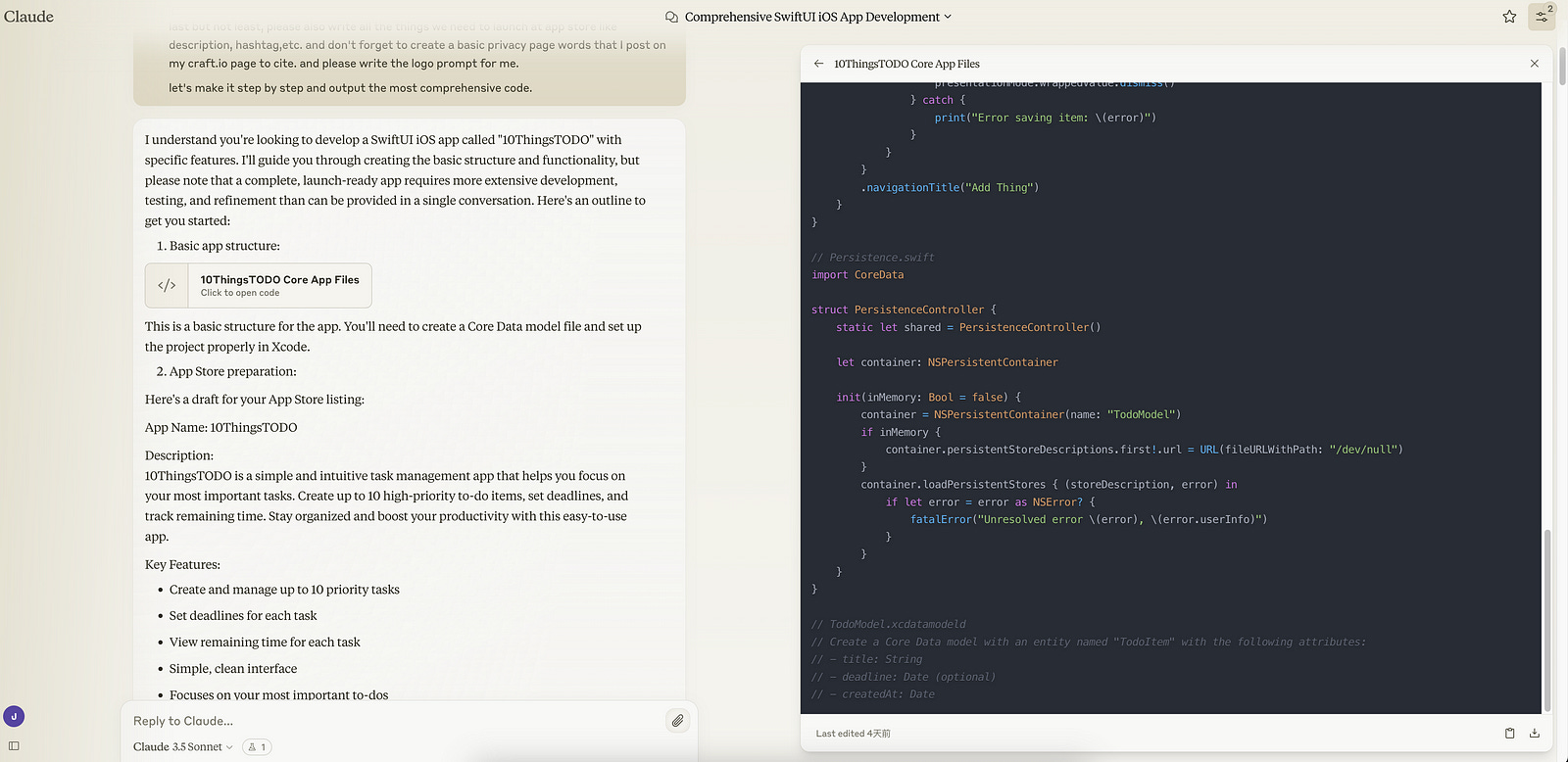
Before diving into the AI-assisted development, I sketched out my vision for the app. The initial design was simple: a list of up to 10 todo items, each with the option to set a deadline and reminder. The app would show the remaining time for each task, and the title would dynamically update to show the current number of tasks.
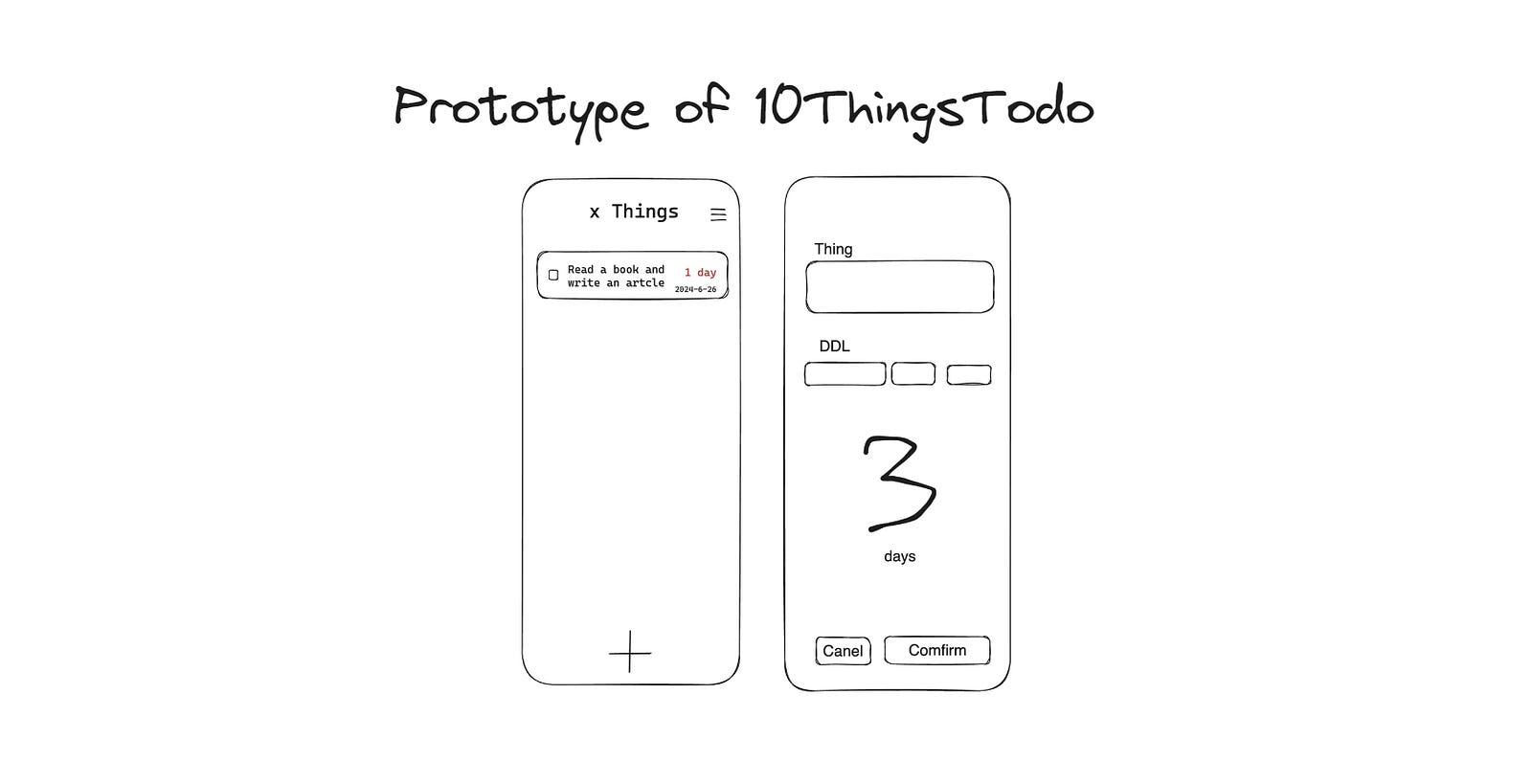
With this sketch in hand, I crafted my initial prompt for Claude 3.5 Sonnet:
You are an excellent iOS developer.
You have a task, create a pack of complete SwiftUI iOS app files that
reach the standard and allow me to upload and launch to the app store with 5 steps of questioning and answering prompts.
That means, you have to give all the code at once that they can run. It should be very simple and easy to use.
Now, the name of the app is : 10ThingsTODO.
It is a one page app, that let user create up to 10 todo thing in list.
User could set a reminder and show the remaining time of that todo thing.
the title would automatically shows x things, x means how many todo things.
I also show you the addthingview, which user could create a new thing with a certain ddl(people could let it in blank).
The app would compute how many days left and how many hours or minutes left (if ≤1 day or ≤ 1 hour)
the app should use core data.
please also write the description of info for me.
Please also write all the things we need to launch at app store like description, hashtag,etc.
Don't forget to create a basic privacy page words that I post on my craft.io page to cite.
Please write the logo prompt for me.let's make it step by step and output the most comprehensive code.
let's make it step by step and output the most comprehensive code.
Core Features
Let’s dive into what makes DDLTodo unique:
1. A More Focused Design
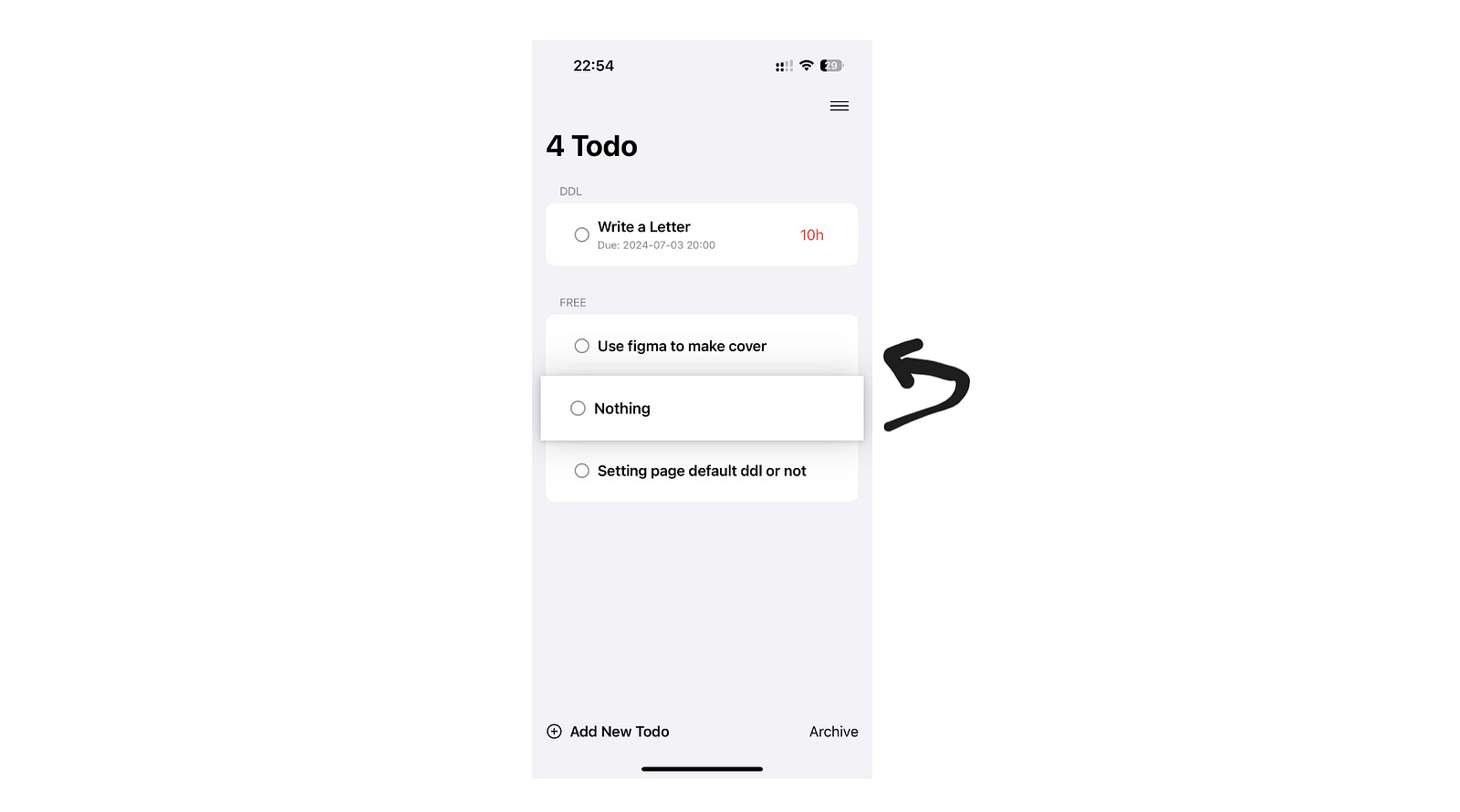
As you can see from the main interface, DDLTodo embraces simplicity. Unlike many Todo apps that use complex tags and groupings, DDLTodo has only two main sections: “DDL” for tasks with deadlines, and “FREE” for tasks without specific time constraints. This clean, uncluttered design allows users to see all their tasks at a glance, reducing cognitive load and helping them focus on what truly matters.
2. Balancing Ordered and Unordered Task Management
The app’s design acknowledges that human energy is limited and not all tasks are created equal. Tasks with deadlines (DDLs) are automatically placed at the top, ensuring users immediately see urgent items. In the image, you can see “Write a Letter” with its deadline and countdown prominently displayed.
For tasks without deadlines in the “FREE” section, users can easily reorder them by dragging and dropping. This flexibility allows for quick prioritization based on current needs and energy levels.
3. Incorporating a Regret Mechanism
While not visible in the provided images, DDLTodo includes a unique “regret mechanism”. In the first version, when users marked a task as complete, a progress bar and vibration feedback gave them a moment to reconsider. Completed tasks were archived and could be restored if needed.
However, I found this design a bit cumbersome. In future updates, I plan to implement a simpler undo button, giving users 2–3 seconds to reverse a task completion if they change their mind.
4. Simple Yet Powerful Task Creation
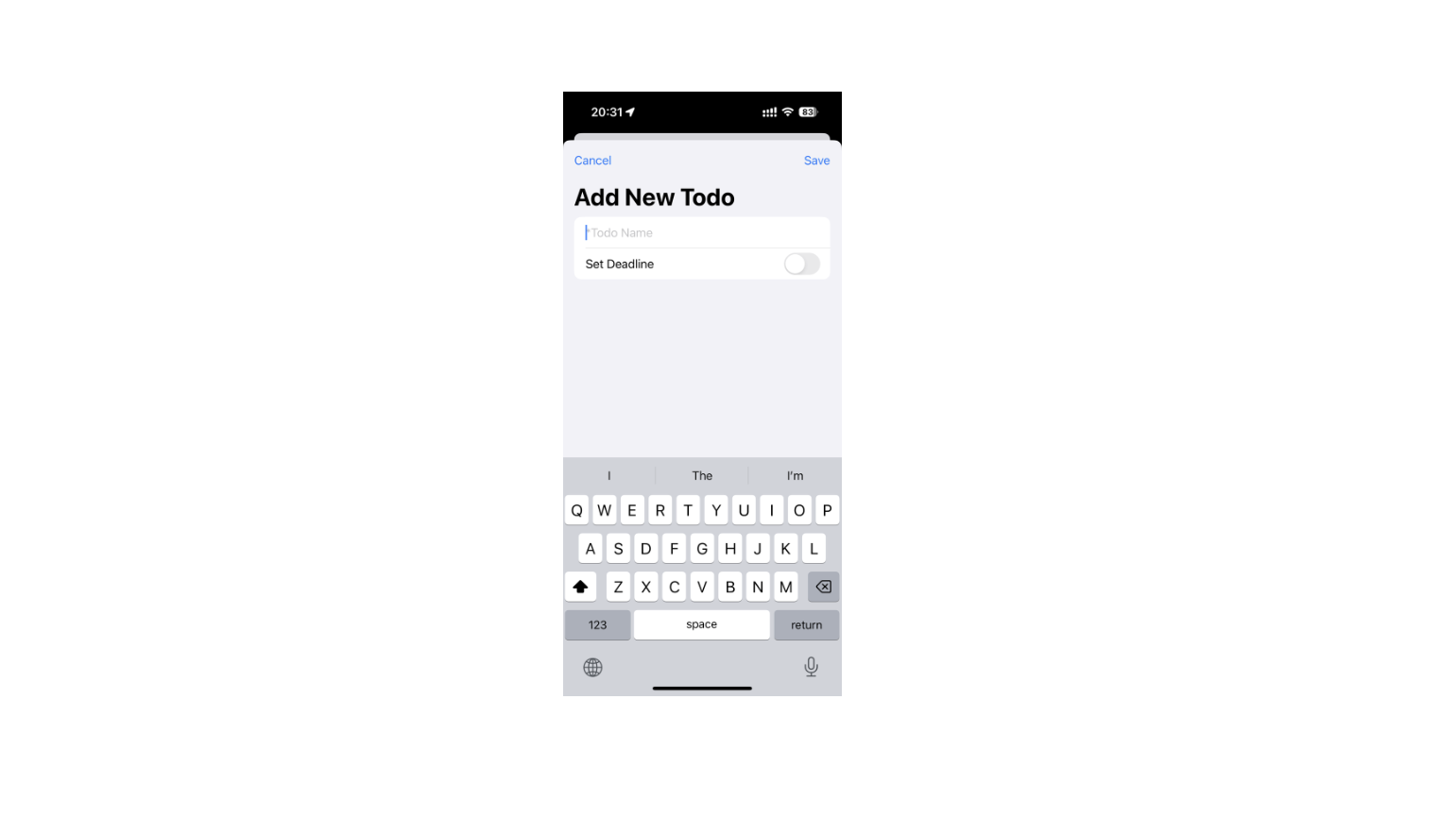
The “Add New Todo” screen demonstrates the app’s commitment to simplicity without sacrificing functionality. Users can:
Enter a task name
Choose whether to set a deadline
Select a specific date and time for the deadline
Set a reminder (though this appears to be optional)
This streamlined process makes it quick and easy to add new tasks without getting bogged down in unnecessary details.
The Biggest Challenge: CloudKit Integration
Following the guidance of GPT-4 and Claude 3.5, I attempted to configure and use CloudKit for data synchronization. However, I discovered that debugging CloudKit was far more complex than anticipated. The process generated an overwhelming amount of log output, making it difficult to pinpoint issues.
As a result, I’ve decided to take a step back. My current plan is to create a simple, standalone CloudKit demo to explore and debug the technology. Once I’ve successfully implemented cloud synchronization in this controlled environment, I’ll integrate it back into DDLTodo. While this process is more time-consuming than I initially hoped, I believe it’s the best path to eventually achieving stable cloud synchronization functionality.
Final Thought
DDLTodo represents an interesting experiment in app development, both in terms of its AI-assisted creation process and its design philosophy. Todo apps are often considered one of the three starter projects for independent developers (alongside expense tracking and journaling apps), and are supposedly the simplest of the three. Yet, the constant stream of new Todo apps hitting the market proves that everyone has their own unique struggles with procrastination and thought organization.
My initial intention was simple: create an app that mimics the act of clearing off a cluttered desk and writing down only the most crucial tasks on a clean sheet of paper. This is why the app was originally called 10ThingsTODO. But recognizing the ever-present sword of deadlines hanging over our heads, I ensured that time-sensitive tasks always take precedence.